For Mac and iPad

A reader that helps you remember what you read.

Folio opens your EPUBs, PDFs, web articles and video transcripts. What you highlight becomes concept maps, flashcards and a word list, and it all comes back for review just before you would have forgotten it.

  • EPUB
  • PDF
  • Web articles
  • YouTube transcripts
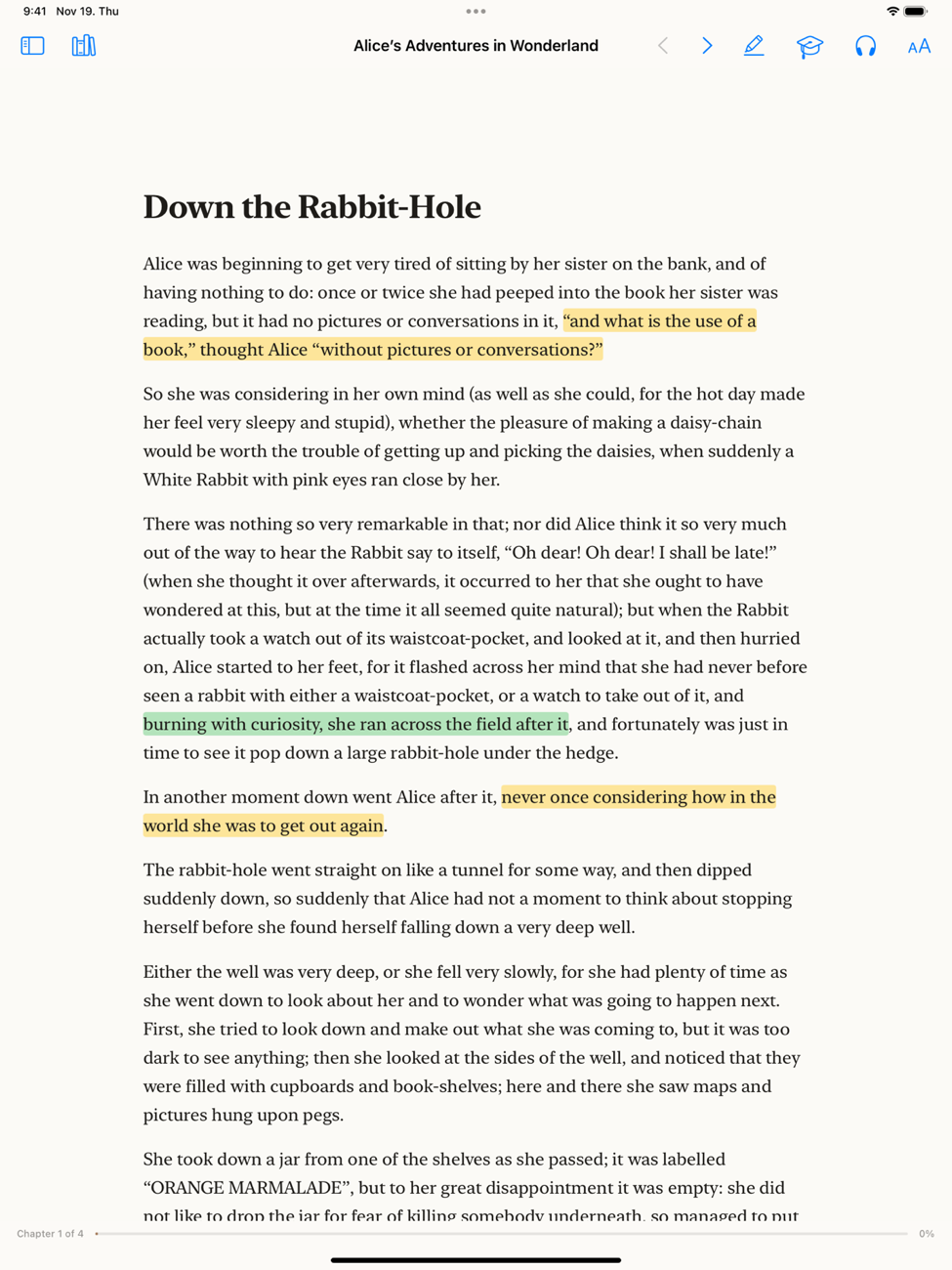
Folio on iPad showing the first chapter of Alice's Adventures in Wonderland with three passages highlighted in yellow and green.
Reading

Everything you do with a pencil, and a few things you can't.

Select it and it's highlighted

Drag across a passage and it is marked in yellow straight away. Four more colours sit on the bar above it, and every highlight lands in the sidebar with its chapter, ready to copy out as Markdown.

In another moment down went Alice after it, never once considering how in the world she was to get out again. The rabbit-hole went straight on like a tunnel for some way, and then dipped suddenly down.

Double-click a word

The dictionary entry appears beside it at once. A few seconds later Claude adds what the word means in that sentence, and the word is kept in your list.

…out of its waistcoat-pocket… waistcoat noun
A sleeveless garment worn under a jacket.

Words that come back

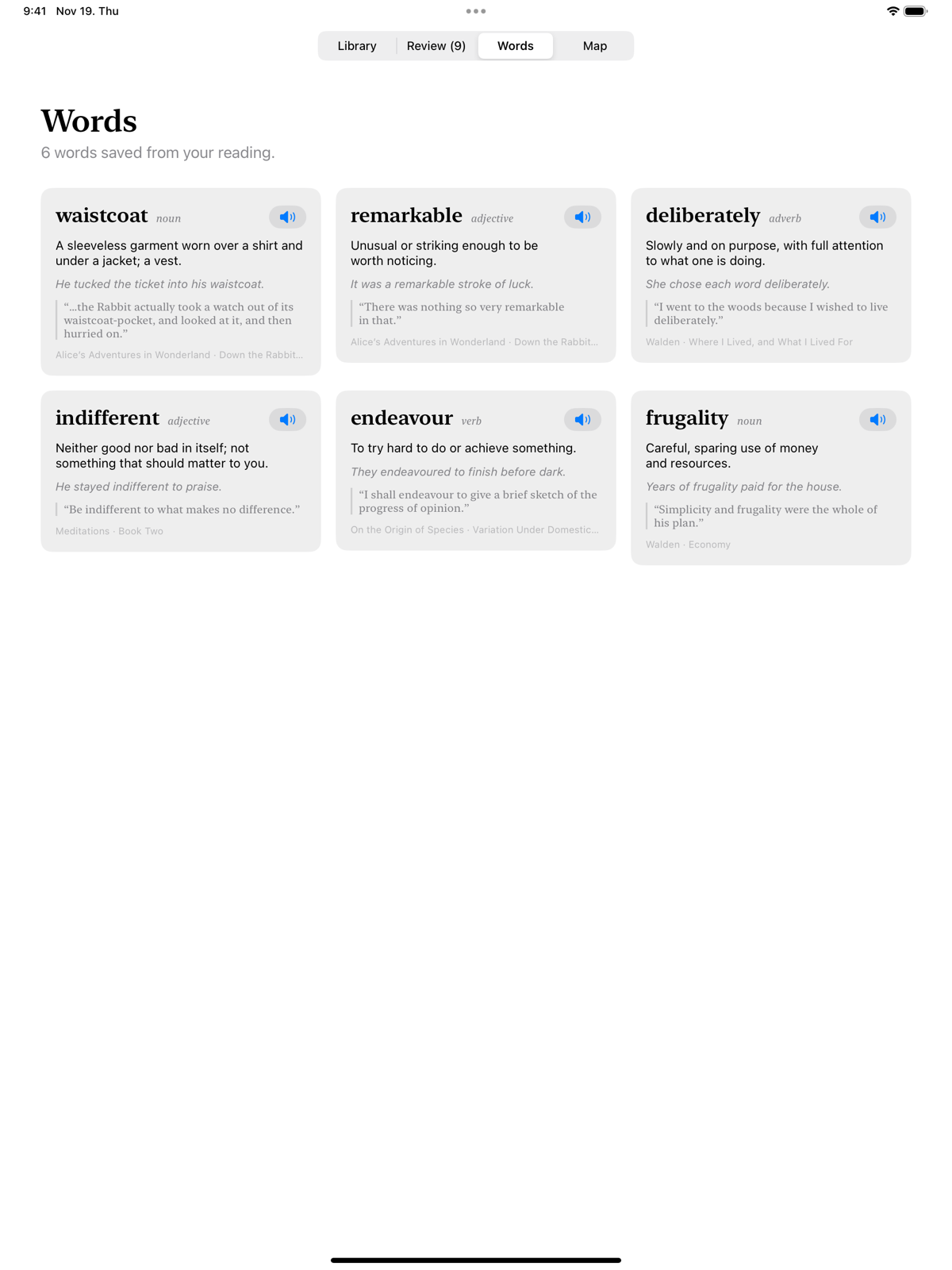
Each saved word becomes a flashcard with its meaning and the sentence you found it in. You grade yourself; Folio decides when you see it next.

Words · Walden deliberately

(adverb) Slowly and on purpose, with full attention.

Listen to the chapter

Press the headphones and Folio reads from where you are, moving a highlight along with the sentence being spoken. The built-in voice works offline; add your own OpenAI key for a more natural one.

The rabbit-hole went straight on like a tunnel for some way, and then dipped suddenly down. Either the well was very deep, or she fell very slowly, for she had plenty of time as she went down to look about her and to wonder what was going to happen next.

Ask about the page you're on

Claude reads the current chapter along with your question, so the answer is about this book and not the internet's idea of it. Select a passage to ask about that passage only.

Why doesn't the fall frighten her?

Carroll slows it down. Alice has time to look at the shelves, read a jar's label and put it back, so the fall reads like a tour, not an accident.

Articles and videos become books

Paste a link. An article is stripped down to its text and pictures; a YouTube video becomes its transcript with the player alongside. Both can be highlighted, mapped and quizzed like anything else on the shelf.

On iPad

Made for reading with a coffee in one hand.

Turning the page shouldn't mean putting something down.

Nod to turn the page

With AirPods in, a small nod turns the page: a PDF moves to the next one, a book to the next screenful. Turn the iPad sideways and the same nod scrolls instead. Your music keeps playing.

Double-tap in landscape

Holding the iPad sideways, double-tap anywhere and the text moves up by almost a whole screen. The last line stays in view, so your eye knows where to pick up.

Three fingers, no margins

PDFs keep the wide margins of the printed page. Tap with three fingers and Folio zooms until the text fills the screen; the next page lines up the same way. Tap again to see the whole page.

Study

Four ways into a chapter.

Reading something once is not the same as knowing it. Each chapter has a study panel that asks a little more of you every time.

  1. 01

    Primer

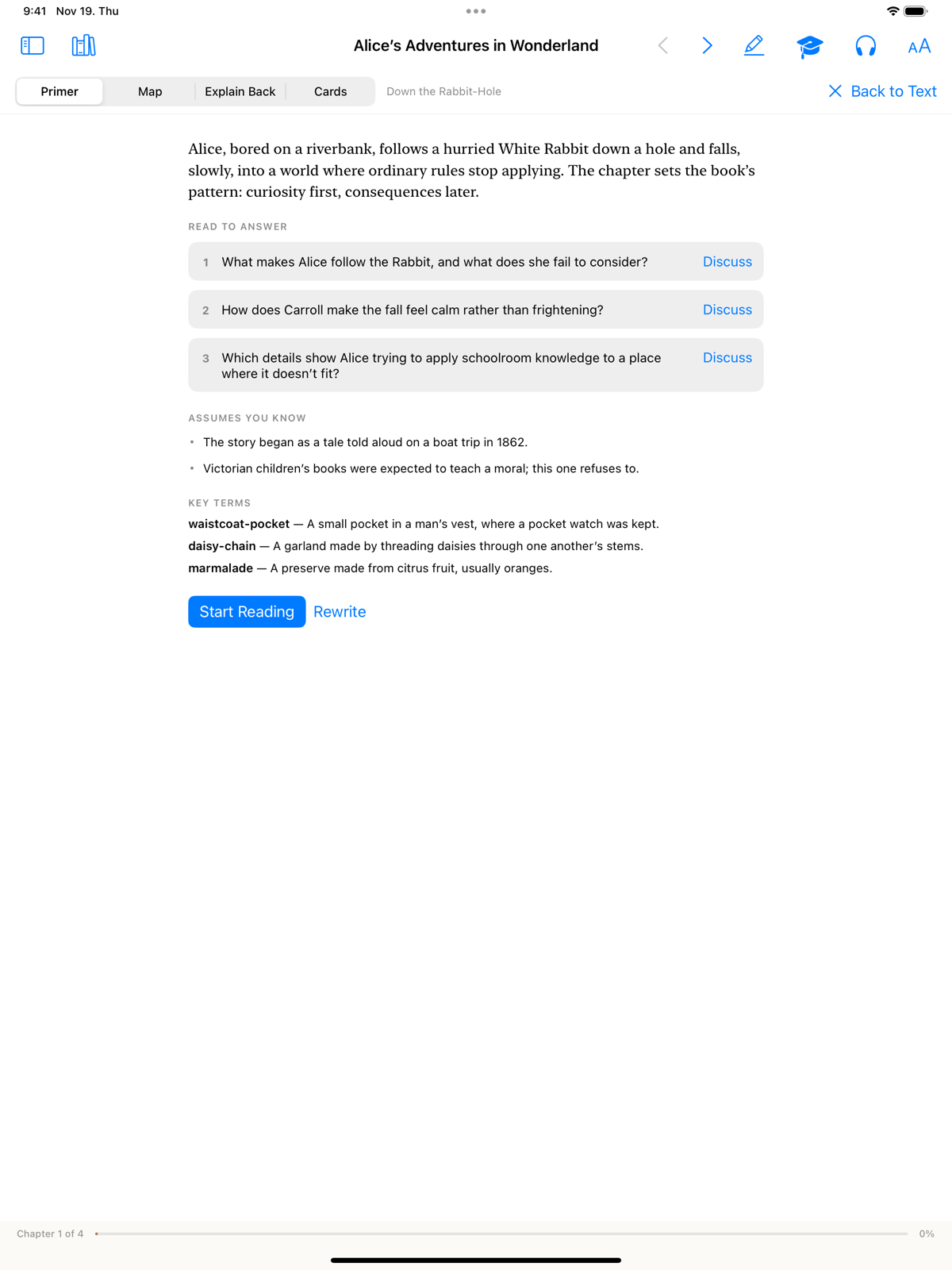
    Before you read: what the chapter covers, the questions to read for, and the terms it assumes you know.

  2. 02

    Map

    The chapter's ideas as a diagram you can drag around, with a line for every connection between them.

  3. 03

    Explain Back

    Write what you understood in your own words. You get a score, what you got, and what you missed.

  4. 04

    Cards

    Flashcards drawn from the chapter and from your highlights, scheduled so the hard ones return sooner.

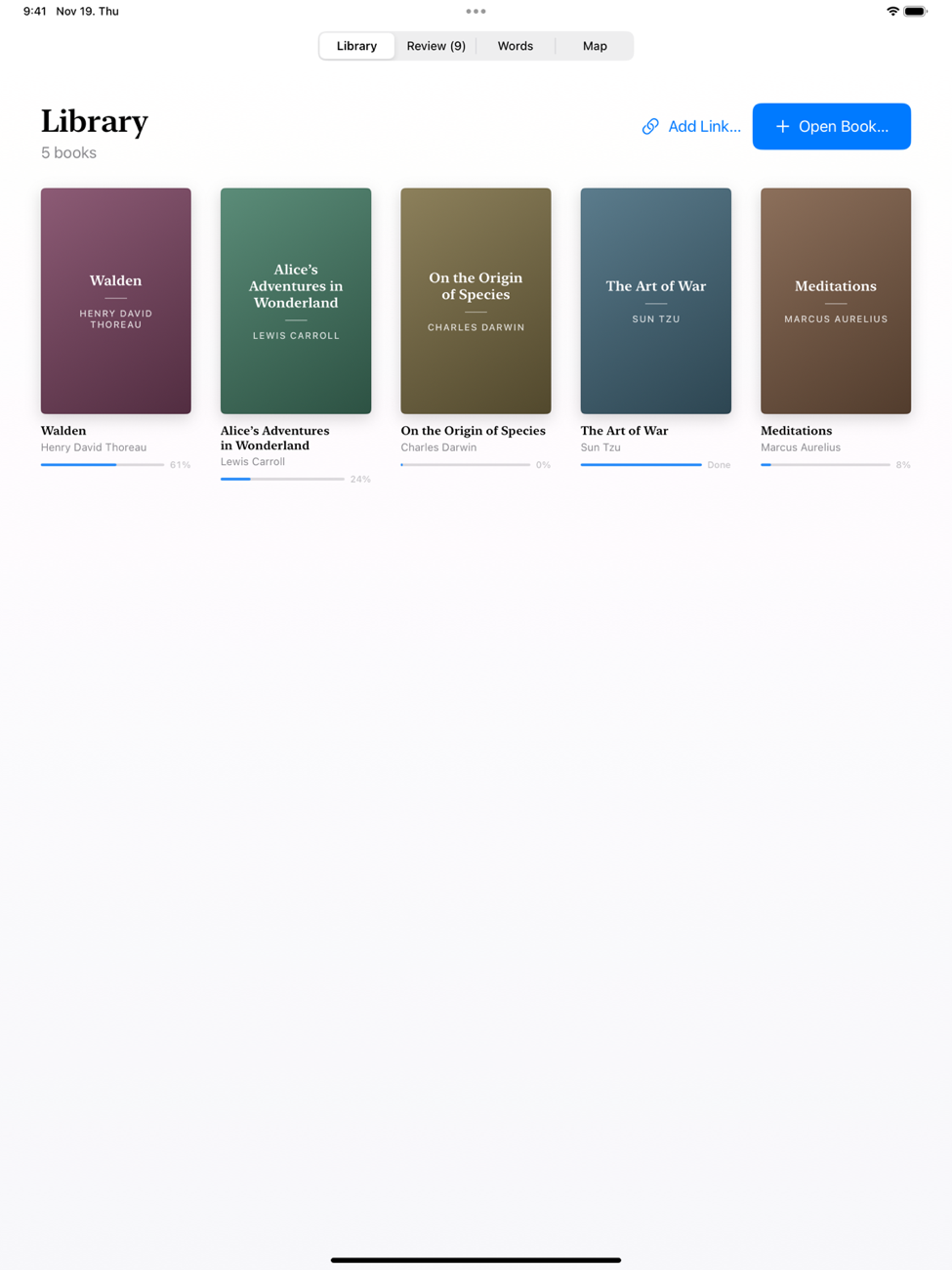
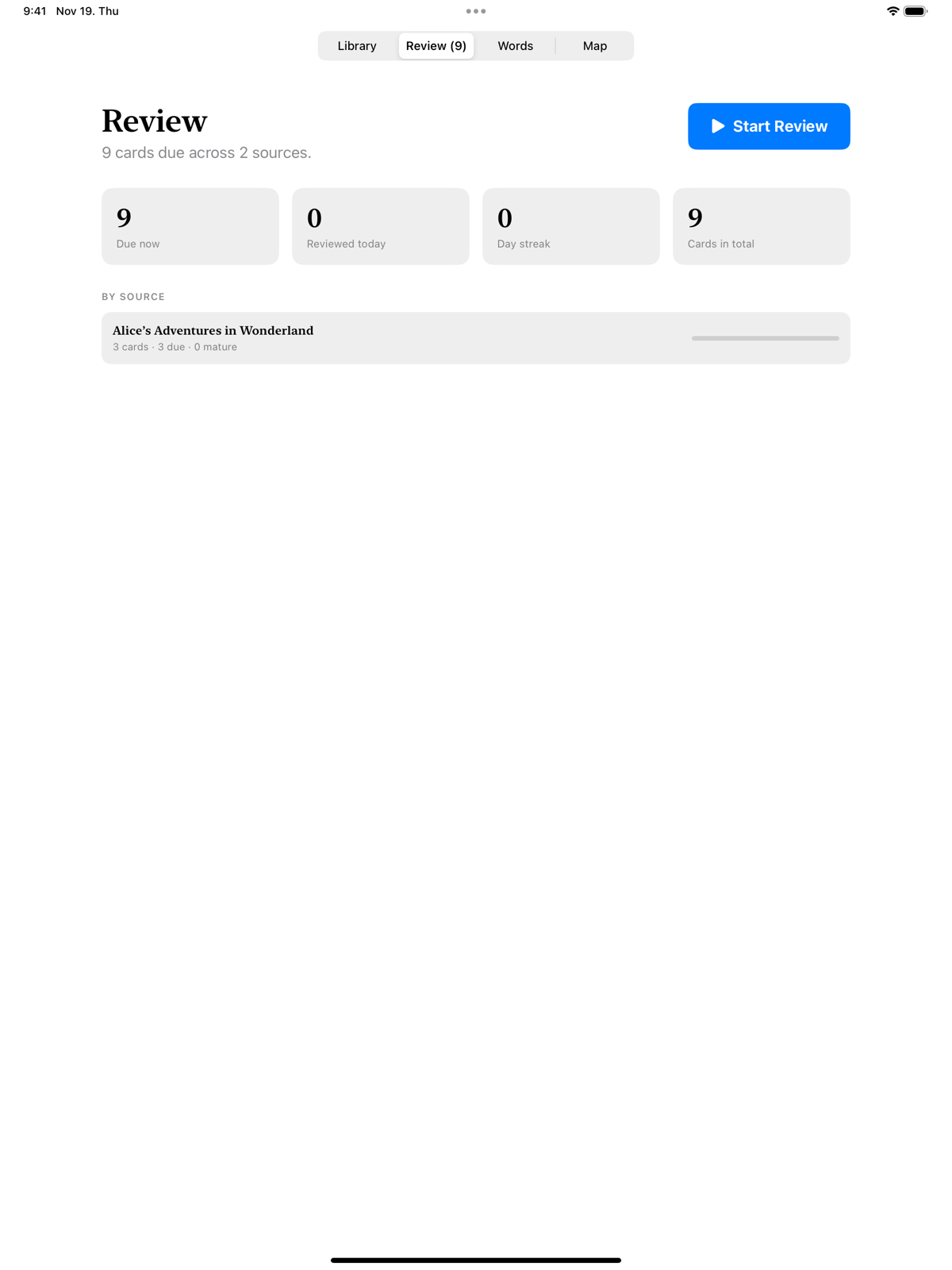
Across the whole library there is one review queue, a chat that can search every book you own, and a map of the ideas that link them.

The Primer tab for a chapter: a short overview, three questions to read for, what the chapter assumes you know, and key terms.
Screens

Quiet on purpose.

The page is the interface. Everything else stays out of the way until you reach for it.

Sync

Your library lives in your iCloud.

Books, highlights, notes, flashcards and words travel between your Mac and your iPad through your own iCloud storage. There is no Folio account and no Folio server in between.

  • Pick up on the iPad at the page you left on the Mac
  • Changes made on two devices are merged, not overwritten
  • A book shows up on the other shelf with its cover, and downloads when you open it
  • Without iCloud, everything simply stays on the device
Keyboard

Hands on the keys.

⌘+ ⌘−
Zoom the page or the text
⇧⌘H
Highlight the selection
⌘J
Ask Claude
⌥⌘P
Listen to the chapter
⌘F
Find in the book
⇧⌘R
Review due cards
Questions

The honest details.

What can Folio open?

EPUB and PDF files, any web article you paste a link to, and YouTube videos, which arrive as a transcript with the player above it. Importing a video happens on the Mac and needs the free yt-dlp tool installed.

Where does the AI come from?

From Claude, through Claude Code installed on your Mac. Folio has no AI account of its own and adds no subscription. On the iPad you read, highlight, listen and review; the maps, primers, cards and definitions your Mac made arrive there through iCloud.

Where is my data?

In your own iCloud storage, in a folder that belongs to the app, and on your devices. Nothing is sent to a Folio server, because there isn't one.

Does listening cost anything?

Not with the built-in system voice, which also works offline. If you add an OpenAI key for the more natural voice, the text being read is sent to OpenAI and they bill your account for the audio. Passages you have already heard are kept on the device, so replaying them is free.

Does it work without Claude?

Yes, as a reader. Highlights, notes, the word list with dictionary definitions, search, listening, articles and review all work on their own. The chat and the generated study material are what need Claude.
Folio for Mac is free and open source.

It runs on macOS 14 or later. This first build isn't notarized by Apple yet: open it once, then choose Open Anyway in System Settings, under Privacy & Security. The iPad app isn't on the App Store yet, but you can build it from the source.

Version 1.0 · MIT licence